JupyterLab in Open OnDemand
Run Python notebooks on a Phoebe compute node from your browser. First log in to Open OnDemand.
How Python is provided
Python itself comes from Lmod modules. The packages you need are
installed in your own Python virtual environment (venv), which also contains JupyterLab. The
portal creates it for you in ~/.venvs/.
Start a session
On the portal, select VENV-based JupyterLab and fill in the form:
- Slurm partition:
cpu, orgpuif you need GPU acceleration, orsmallfor light work. The session runs in the matching interactive partition:cpu_int,gpu_intorsmall_int. - Preloaded moduleset: keep empty.
- Python version: the version you need, typically the latest.
- Session duration: how long the session may run, from 8 hours to 14 days.
- Instance size: the number of CPU cores, from 8 to 128.
- GPU count: leave at 0 unless you need GPUs (up to 4).
- Venv name to be created in ~/.venvs/: a name for your new virtual environment (default
venv_default). - Existing venv path to use: keep empty; this option is not ready yet.
Click Launch to submit the session as a job to Slurm.
Wait for the job to start
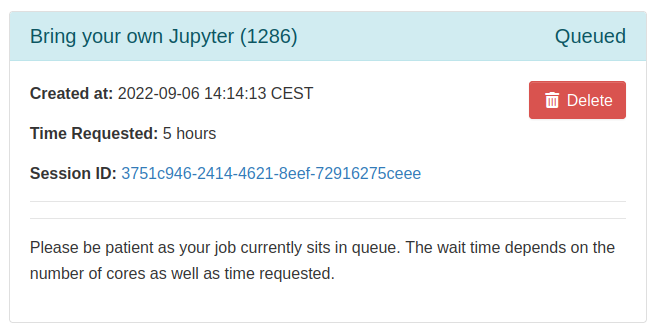
The session is first shown as Queued. The first start takes longer, because the portal creates your virtual environment.
Connect to the session
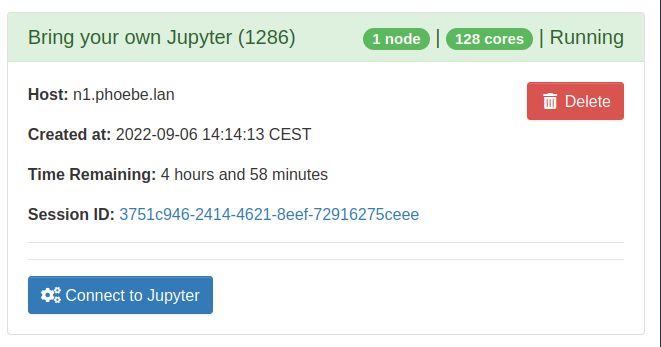
Once the session is Running, click Connect to Jupyter. JupyterLab opens in a new browser tab.
To come back to the session later or end it, see reconnect and end a session.